WeBlog · Turtle
How to draw a heart in Python with turtle
A heart is one formula and one loop. Here is the whole program, then the math behind it, built up one piece at a time so you can see where the shape comes from.
The whole program
Copy this into any Python that has turtle, or open it in the Playground and press Run. There is nothing to install for the Playground: it runs real Python in your browser tab.
import turtle
import math

turtle.bgcolor("#1b1030")
turtle.pensize(3)
turtle.color("#ff4d6d", "#ff8fa3")   # outline, fill
turtle.speed(8)

size = 10   # 1 unit of the formula = 10 steps on screen

turtle.penup()
turtle.goto(0, 5 * size)   # where the curve starts, at t = 0
turtle.pendown()
turtle.begin_fill()

for step in range(101):
    t = step / 100 * 2 * math.pi   # from 0 all the way round to 2 pi
    x = 16 * math.sin(t) ** 3
    y = 13 * math.cos(t) - 5 * math.cos(2 * t) - 2 * math.cos(3 * t) - math.cos(4 * t)
    turtle.goto(x * size, y * size)

turtle.end_fill()
turtle.hideturtle()
Open in the Playground Opens with this code already in the editor.
On your own computer? The same code works in IDLE, Thonny or VS Code, because turtle and math come with Python. Add turtle.done() as the last line so the window stays open when the drawing finishes.
The heart formula
The shape comes from a pair of equations. You feed in a number t, and they give back one point (x, y) on the heart:
y = 13 · cos(t) − 5 · cos(2t) − 2 · cos(3t) − cos(4t)
As t runs from 0 up to 2π (a full turn, about 6.28), the point travels once around the heart and ends up back where it started. The loop does exactly that: it splits the trip into 100 small steps, works out the point for each one, and sends the turtle there with goto. Joined up, 100 short straight lines look like one smooth curve.
Why range(101) and not range(100)? Step 100 lands on t = 2π, which is the starting point again, so the outline closes up neatly.
Building it up, one piece at a time
The formula looks like magic until you take it apart. Start with the simplest version and add one piece at a time.
1. Sine and cosine make an oval
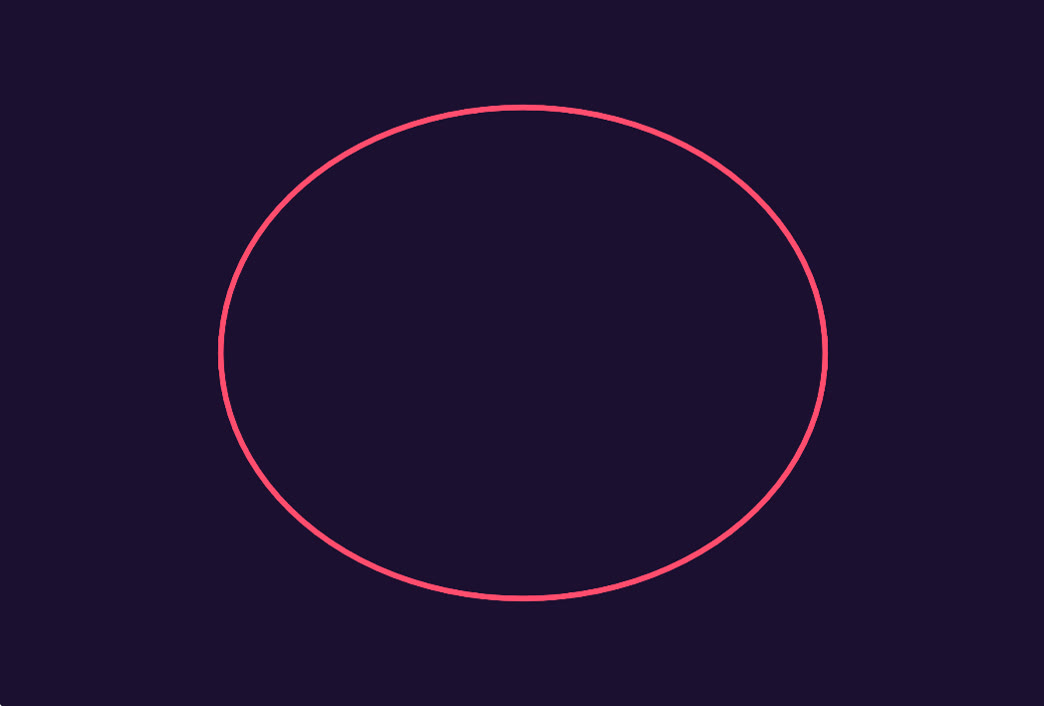
With just x = 16 * sin(t) and y = 13 * cos(t), the point goes round a plain oval: 32 wide and 26 tall. This is the same trick that draws a circle, stretched a little sideways.
2. Cubing the sine pinches the top and bottom
Now change the x line to 16 * sin(t) ** 3. Near the top and bottom of the oval, sin(t) is a small number, and cubing a small number makes it much smaller (0.2 cubed is 0.008). So the point stays close to the middle for longer and gets squeezed into a sharp tip. At the sides, sin(t) is close to 1, and 1 cubed is still 1, so the width doesn't change.

3. Three more cosines bend it into a heart
The lemon shape is pointed at both ends. The last three terms of the y line, - 5*cos(2t) - 2*cos(3t) - cos(4t), fix that. Look at what they do at the two tips:
- The top (t = 0): y = 13 − 5 − 2 − 1 = 5. The tip is pulled down below the two rounded shoulders on either side (which reach about 12), and that makes the dip in the middle of the heart.
- The bottom (t = π): y = −13 − 5 + 2 − 1 = −17. The bottom tip is pushed further down, into the long point of the heart.
That is the whole secret: an oval, pinched with a cube, then bent down at the top and stretched at the bottom.
Making it bigger, smaller, or somewhere else
The formula's heart is small: 32 units wide and about 29 tall. The size variable scales it up, so size = 10 gives a heart 320 steps wide. To move it, add to the coordinates: turtle.goto(x * size + 100, y * size) draws it 100 steps to the right.
Two other numbers are worth changing:
range(101)and the100inside the loop set how many straight lines make up the curve. Try 10 steps (range(11)and/ 10) and you get a chunky, low-poly heart.turtle.speed(8)sets how fast the turtle walks. Use0to draw instantly, or1to watch it crawl.
Going further: rainbow hearts
Wrap the loop in a function that takes a size and a colour, and you can draw as many hearts as you like. This draws six, each one 1.5 smaller than the last.
import turtle
import math

turtle.bgcolor("#1b1030")
turtle.pensize(3)
turtle.speed(9)
colours = ["#ff4d6d", "#ff922b", "#ffd43b", "#69db7c", "#4dabf7", "#b197fc"]

def heart(size, colour):
    turtle.pencolor(colour)
    turtle.penup()
    for step in range(101):
        t = step / 100 * 2 * math.pi
        x = 16 * math.sin(t) ** 3
        y = 13 * math.cos(t) - 5 * math.cos(2 * t) - 2 * math.cos(3 * t) - math.cos(4 * t)
        turtle.goto(x * size, y * size)
        turtle.pendown()

for i in range(6):
    heart(10 - i * 1.5, colours[i])

turtle.hideturtle()
This version lifts the pen before each heart and puts it down after the first point, so the turtle doesn't draw a line from one heart to the next.
Using the game library instead
The same formula works outside turtle, but watch the direction of y. In turtle, y goes up the screen. In PyWebLib's game library, like most game screens, y goes down, and (0, 0) is the top-left corner. So flip y and move the heart to the middle of the window:
screen_x = WIDTH / 2 + x * size
screen_y = HEIGHT / 2 - y * size   # minus: game y points down
Hearts from the community gallery
This formula keeps turning up in the PyWebLib gallery, sometimes with its comments in another language. Open any of these and look at the code: you'll recognise the two lines.
- A one sided love: instead of drawing a line, it writes a small moon at every point, then does it again at six sizes.
- I love you: writes the words around the curve. Its comments are in Portuguese: Equação do coração, the heart equation.
- heartblue: builds the heart from particles with the game library, flipping y just like above. Its comments are in Indonesian: RUMUS HATI, the heart formula.
Make your own
Change the colours, the size, or the formula itself, then share it to the gallery for others to find.
Open the heart in the Playground